Best IPTV Players in 2026: Top Apps for FireStick, Android, Windows & Smart TV
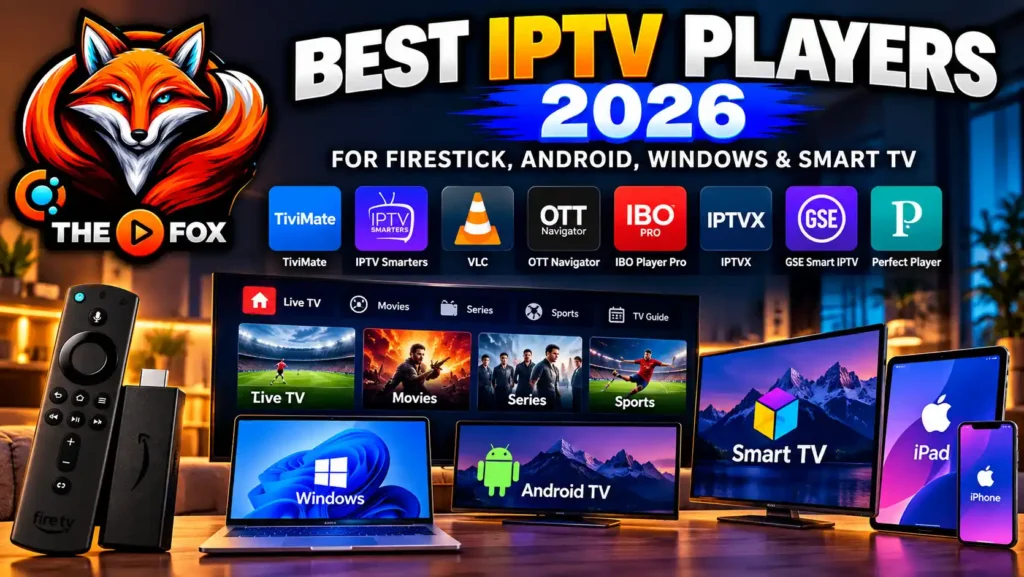
Best IPTV Players in 2026
Choosing the Best IPTV Players can make a major difference in how you watch live television, movies, series and other streaming content. An IPTV player is the application that loads and organizes the playlist or login information provided by your IPTV service, giving you a convenient interface for browsing channels and video-on-demand content.
For viewers in the USA and Canada, there are many IPTV player apps available for FireStick, Android TV, Smart TVs, Windows computers, iPhone and iPad. However, they are not all designed for the same devices or users.
Some focus on a simple interface, while others provide advanced features such as EPG guides, multiple playlists, favorites, parental controls, recording, catch-up and multi-screen viewing.
In this guide, we compare popular IPTV players and explain what to consider before choosing one. We will also show you which type of player may work best depending on your device and how you want to watch IPTV.
Important: An IPTV player is generally a media application. It does not automatically provide television channels. You need a compatible IPTV service or legal playlist to use it.
What Is an IPTV Player?
An IPTV player is an application that allows users to load and organize streaming content from a compatible IPTV service.
Instead of providing channels itself, the player acts as the interface between your playlist or service credentials and your streaming device.
Depending on the application, you may be able to connect using:
- M3U playlists
- Xtream Codes API
- EPG/XMLTV information
- M3U8 streams
- Local playlist files
- Other supported streaming formats
Once configured, an IPTV player can organize live channels, movies and series into categories that are easier to browse.
This makes the choice of player important because different applications offer different interfaces, device support and playback features.
Best IPTV Players at a Glance
Before looking at each application individually, here is a quick comparison.
| IPTV Player | FireStick | Android | Windows | Smart TV | iPhone/iPad | EPG | Multiple Playlists |
|---|---|---|---|---|---|---|---|
| TiviMate | ✅ | ✅ | — | Limited | — | ✅ | ✅ |
| IPTV Smarters | ✅ | ✅ | ✅ | Depends on platform | ✅ | ✅ | ✅ |
| VLC | — | ✅ | ✅ | Limited | ✅ | ❌ | Limited |
| OTT Navigator | ✅* | ✅ | — | Depends on platform | — | ✅ | ✅ |
| IBO Player Pro | ✅ | ✅ | — | Selected TVs | Limited | ✅ | ✅ |
| IPTVX | Depends on device | — | macOS | Selected platforms | ✅ | ✅ | ✅ |
| GSE Smart IPTV | Depends on platform | ✅ | — | Depends on platform | ✅ | ✅ | ✅ |
*Availability and installation methods can vary by device and operating system.
Tip: App availability and features can change over time. Always check the developer’s official source or your device’s official app store before installing an application.
1. TiviMate
Best IPTV Player for Android TV and FireStick
TiviMate is one of the most recognizable IPTV player applications for Android-based television devices. Its interface is designed primarily for large screens and remote controls, making it particularly relevant for Android TV and compatible Fire TV devices.
One of its main advantages is its focus on organizing large channel lists. Users can create favorites, organize channel groups and use an electronic program guide when their IPTV source provides compatible EPG information.
Key Features
- Multiple playlist support
- EPG integration
- Favorites
- Channel groups
- TV-style interface
- Recording features on supported versions
- Parental controls
- Customization options
- Picture-in-picture features on supported devices/versions
Best For
TiviMate can be a useful option for someone who mainly watches IPTV on an Android TV or FireStick and wants a traditional television-style interface.
2. IPTV Smarters
Best IPTV Player for Multi-Device Users
IPTV Smarters is another widely used IPTV application. Its appeal comes from its relatively simple interface and availability across different device categories.
Depending on the version and platform, users may be able to connect using supported playlist formats or API credentials and organize live TV, movies and series in one interface.
Key Features
- Live TV organization
- VOD categories
- Series support
- EPG support
- Multiple profiles or accounts on supported versions
- Favorites
- Parental controls
- External player support on supported versions
Compatible Devices
Depending on the current version, IPTV Smarters-related applications may be available for:
- Android devices
- Android TV
- Fire TV
- iPhone and iPad
- Smart TVs
- Computers through supported versions
Because application availability changes, check the official platform or developer listing before downloading.
Best For
It can be suitable for users who want one familiar IPTV interface across different types of devices.
3. IBO Player Pro
A Popular Choice for Smart TVs and IPTV Playlists
IBO Player Pro is designed around playlist-based IPTV streaming. It is commonly used on compatible Smart TVs and streaming devices.
The application does not itself provide a television subscription. Instead, users load compatible playlist information supplied by their IPTV provider.
Key Features
- M3U playlist support
- Live TV organization
- Movies and series categories
- Favorites
- EPG support when provided
- Simple interface
- Support for high-resolution streams when the source and device support them
Best For
IBO Player Pro can be useful for users who want a straightforward IPTV player on a compatible Smart TV or streaming device.
Always download the legitimate application from an official or trusted source because similarly named applications can appear in app stores and third-party websites.
.
4. OTT Navigator IPTV
Best for Advanced Organization
OTT Navigator is aimed at IPTV users who want more control over channel organization and viewing.
Its feature set can be particularly useful for people with large playlists containing hundreds or thousands of channels.
Features
- Advanced channel filtering
- Favorites
- Multiple playlists
- EPG
- Picture-in-picture on supported devices
- Timeshift features where supported
- Custom channel groups
- Xtream Codes and playlist support depending on version
Best For
This player is more appropriate for users who enjoy customizing their IPTV experience rather than relying on a basic channel list.
5. VLC Media Player
Best General-Purpose Media Player
VLC is different from many dedicated IPTV applications because it is a general-purpose media player rather than an IPTV-specific interface.
It supports a wide range of media formats and operating systems and can open compatible network streams and playlist files.
This makes VLC particularly useful for Windows, macOS, Linux, Android and other supported platforms.
Advantages
- Open-source software
- Broad media format support
- Available on multiple operating systems
- Network streaming support
- External subtitle support
- Simple playback controls
Limitations
VLC does not provide the same IPTV-focused interface as dedicated players. For example, users looking for a television-style EPG, channel categories and IPTV-specific navigation may prefer a dedicated IPTV application.
For official information, see the VLC official website.
6. IPTVX
A Strong Option for Apple Users
IPTVX is designed with a modern interface and focuses heavily on Apple platforms.
Depending on the current version, features can include:
- Multiple playlists
- EPG
- Xtream API support
- M3U support
- Picture-in-picture
- Subtitles
- Multiple audio tracks
- Synchronization features
- High-resolution playback on supported devices
Best For
IPTVX can be worth considering if most of your viewing takes place on Apple devices such as iPhone, iPad, Apple TV or compatible Mac systems.
7. GSE Smart IPTV
GSE Smart IPTV is another player that has historically focused on broad platform compatibility and support for different IPTV playlist formats.
Depending on the platform and current version, features can include:
- M3U support
- EPG
- Chromecast-related functionality
- External player integration
- Multiple playlists
- VOD organization
- Subtitle support
Its suitability depends heavily on the exact device you are using and the current version available for that platform.
8. Perfect Player
Best for Users Who Like Customization
Perfect Player has traditionally appealed to IPTV users who prefer a customizable interface.
The player can work with playlist and EPG information and provides tools for organizing channels.
Potential features include:
- M3U playlist support
- EPG/XMLTV support
- Channel groups
- Custom interface options
- External video players
- Playback configuration
It is particularly relevant for users who prefer controlling how their channel lists are displayed.
Best IPTV Players for FireStick
FireStick users generally want an application that works well with a remote control and displays channel lists clearly on a television.
When choosing an IPTV player for FireStick, look for:
- Easy navigation
- Remote-control compatibility
- M3U or Xtream Codes support
- EPG support
- Fast playlist loading
- Favorites and channel groups
- Stable playback
- Regular application updates
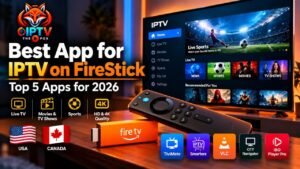
TiviMate and IPTV Smarters are examples of applications frequently considered by FireStick users, while other options may be appropriate depending on current availability.
For official Fire TV information, you can consult Amazon Fire TV documentation.
Best IPTV Players for Android TV
Android TV gives users a larger selection of IPTV applications because of its app ecosystem.
For Android TV, consider whether the application provides:
- TV-friendly navigation
- EPG
- Favorites
- Multiple playlists
- Xtream Codes support
- M3U support
- External player support
- Parental controls
- Picture-in-picture
- Recording where legally and technically supported
The official Android TV platform page is a useful reference for the platform itself.
Best IPTV Players for Windows
Windows users have a different set of requirements because they typically use a mouse and keyboard rather than a TV remote.
A Windows IPTV player should ideally provide:
- Full-screen playback
- Playlist support
- Network streaming
- Keyboard controls
- EPG where supported
- Multiple playlist management
- Stable playback
- External player support
VLC is a useful general-purpose option for Windows, while IPTV-focused applications can provide a more television-oriented experience.
Best IPTV Players for Smart TV
Smart TV compatibility is particularly important because Samsung, LG, Android TV and other platforms do not all use the same operating system.
Before installing an IPTV application, check your TV’s:
- Brand
- Operating system
- Model
- App store
- Application availability
For example, an app available on Android TV may not necessarily be available on Samsung’s Tizen platform or LG’s webOS.
This is one reason why device compatibility should come before choosing an IPTV player.
What Features Should You Look For?
The number of features an IPTV player has is less important than whether those features match your setup.
1. M3U Suppor
M3U is a common playlist format used to organize streaming URLs.
If your provider gives you an M3U playlist, make sure the player supports the format.
2. Xtream Codes API
Some IPTV services provide login credentials through an Xtream Codes-compatible interface.
If you receive a username, password and server address, verify that your selected application supports the required login method.
3. EPG
EPG stands for Electronic Program Guide.
It can display information about current and upcoming programs, similar to the traditional TV guide provided by cable and satellite services.
The quality and availability of EPG data depend on the IPTV source as well as the player.
4. VOD Organization
If your subscription includes movies and series, look for a player that separates:
- Live TV
- Movies
- Series
- Favorites
- Recently watched content
5. Multiple Playlists
Advanced users may need more than one playlist. In that case, multiple playlist support can make switching between sources easier.
6. External Player Support
Some IPTV applications allow users to send streams to external players such as VLC.
This can be useful when the built-in player does not provide the playback controls or compatibility you need.
IPTV Player vs IPTV Provider: What's the Difference?
This is one of the most important things beginners should understand.
An IPTV player is the application you use to organize and play compatible streams.
An IPTV provider is the service that supplies the content or playlist.
For example:
IPTV Provider → Playlist/Login → IPTV Player → FireStick/TV/Phone
The player and provider are therefore two different components.
Installing an IPTV player does not automatically give you live TV channels.
Can IPTV Players Be Used With IPTV THE FOX?
Yes, users can choose a compatible IPTV player based on their device and the login or playlist format supported by their subscription.
For example, someone using an Android TV or FireStick may prefer a TV-oriented player, while an iPhone user may choose an application designed specifically for iOS.
Before setting up your account, make sure you are using the correct:
- Server information
- Username
- Password
- M3U URL, if applicable
- Xtream Codes login, if applicable
If you’re new to IPTV, you can also visit our IPTV Free Trial page to test compatibility before choosing a longer subscription.
How to Choose the Right IPTV Player
Instead of asking which IPTV player is universally “the best,” start with your device.
If you use FireStick
Look for a player with:
- Remote-friendly navigation
- EPG
- Favorites
- Multiple playlists
- Fast channel switching
If you use Android TV
Prioritize:
- TV interface
- Playlist management
- EPG
- Xtream Codes support
- Custom channel groups
If you use Windows
Look for:
- Full-screen playback
- Keyboard and mouse controls
- Network stream support
- Playlist management
If you use iPhone or iPad
- iOS compatibility
- Modern interface
- Playlist support
- EPG
- AirPlay or other supported casting options
If you use Smart TV
Check compatibility with your exact TV operating system before installing anything.
How to Improve IPTV Streaming Performance
Even a good IPTV player cannot compensate for every network or device problem.
For better playback:
Use a reliable internet connection
Streaming quality depends heavily on network stability.
Prefer Ethernet when possible
A wired connection can be useful for TVs and streaming devices where Wi-Fi is inconsistent.
Keep your device updated
Install legitimate updates for your streaming device and IPTV player when available.
Close unnecessary applications
Freeing device resources can sometimes improve playback.
Check your source
If only one channel buffers while everything else works normally, the problem may be related to the individual stream rather than your entire internet connection.
Is an IPTV Player Legal?
The legality of an IPTV player and the legality of the content being accessed are separate questions.
A media player can simply be software designed to play streams or organize playlists. The important consideration is whether the content source has the necessary rights or authorization.
For this reason, users should choose legitimate services and obtain applications from official or trusted sources.
Avoid downloading modified APK files or applications from suspicious websites, as they can introduce security risks.
Best IPTV Players 2026: Quick Comparison
| Player | Best Use | EPG | Playlist Support | Main Strength |
|---|---|---|---|---|
| TiviMate | Android TV / FireStick | ✅ | ✅ | TV interface |
| IPTV Smarters | Multiple devices | ✅ | ✅ | Versatility |
| IBO Player Pro | Compatible Smart TVs | ✅ | ✅ | Simple setup |
| OTT Navigator | Advanced users | ✅ | ✅ | Organization |
| VLC | Windows / general playback | Limited | ✅ | Broad media support |
| IPTVX | Apple ecosystem | ✅ | ✅ | Modern Apple experience |
| GSE Smart IPTV | Multi-platform use | ✅ | ✅ | Flexible features |
| Perfect Player | Customization | ✅ | ✅ | Interface control |
Frequently Asked Questions
What are the best IPTV players in 2026?
There is no single IPTV player that is ideal for every user. The right choice depends on your device, preferred interface, playlist format and required features. TiviMate, IPTV Smarters, IBO Player Pro, OTT Navigator, VLC, IPTVX, GSE Smart IPTV and Perfect Player are examples of applications users may consider.
What is the best IPTV player for FireStick?
Look for an application with a TV-friendly interface, remote-control support, playlist compatibility, EPG and reliable playback. TiviMate and IPTV Smarters are examples to investigate, subject to current platform availability.
What is the best IPTV player for Android?
Android users have many options. TiviMate, IPTV Smarters, OTT Navigator and other compatible applications can serve different needs.
Can I use an IPTV player without an IPTV subscription?
You can install an IPTV player without a subscription, but the player itself generally does not provide television channels. You need compatible content or a legitimate IPTV service to actually stream content.
Do IPTV players support M3U?
Many IPTV players support M3U playlists, but compatibility varies. Always check the application’s current specifications.
What is EPG in IPTV?
EPG means Electronic Program Guide. It provides program information such as current and upcoming shows when compatible guide data is available.
Can I use IPTV on Windows?
Yes. Depending on the application and supported formats, Windows users can use IPTV software or general media players such as VLC to play compatible streams.
Can IPTV players stream 4K?
Some players can handle 4K playback, but the actual quality also depends on the stream source, device hardware, internet connection and display.
Final Thoughts
The Best IPTV Players are not necessarily the applications with the longest feature lists. The right player is the one that matches your device, playlist format and viewing habits.
FireStick users may prioritize remote-friendly navigation, while Android TV users may want advanced channel organization and EPG support. Windows users may prefer flexible media playback, and Apple users may want an application optimized for the Apple ecosystem.
Before installing an IPTV player, check its current device compatibility and download it from a legitimate source. Then make sure your IPTV service provides a compatible playlist or login method.
If you’re looking for an IPTV service to use with a compatible player, you can explore IPTV THE FOX and our IPTV Free Trial option before choosing a subscription.
Ready to test your setup? Start with a trial, choose the player that fits your device, and build your IPTV setup around the features you actually need.