IPTV from Canada: The Ultimate Guide to Choosing the Best Service in 2026
Choosing an IPTV service can be confusing when there are so many streaming options available online. If you are searching for IPTV from Canada, you probably want a convenient way to watch television, access your preferred channels, and enjoy streaming on the devices you already own.
However, not every IPTV service offers the same experience. Streaming quality, device compatibility, subscription terms, customer support, and content licensing can all make a difference.
In this guide, we explain what IPTV is, what Canadian viewers should consider before subscribing, which devices may work with IPTV, and how to compare providers more confidently. Whether you watch television on a FireStick, Smart TV, Android TV device, or smartphone, these tips can help you make a more informed decision.
What Is IPTV?
IPTV stands for Internet Protocol Television. It is a technology that delivers television content over an internet connection instead of relying exclusively on traditional cable or satellite delivery.
Depending on the provider and service, IPTV may offer live television, on-demand programs, electronic program guides, and other streaming features.
Traditional television services generally use cable, satellite, or broadcast infrastructure. IPTV uses internet-based delivery, allowing compatible devices to receive video streams through an application or supported television platform.
For viewers in Canada, IPTV can be worth exploring when comparing different ways to watch television. The available channels, features, subscription conditions, and geographic restrictions depend on the specific service.
How Does IPTV Work?
An IPTV service delivers supported video content through an internet connection. The viewer accesses that content using a compatible device, application, and service account.
A typical setup includes:
An internet connection: Your connection must be sufficiently fast and stable for the video quality you want.
A compatible device: Examples include a Fire TV Stick, Android TV device, Smart TV, computer, or smartphone.
A compatible application: Some services use their own applications, while others support third-party IPTV players.
A service subscription: Depending on the provider, you may need an active subscription or account to access the available content.
Before subscribing, check which devices and applications the provider officially supports.
Why Are People Searching for IPTV from Canada?
Canadian viewers have different television preferences, internet connections, devices, and household viewing habits. The right streaming setup depends on what you want to watch and how you prefer to watch it.
Here are several reasons people research IPTV services.
1. Flexible Viewing Options
Internet-based television can make it possible to watch supported content on different compatible devices. Depending on the service, you may be able to watch television in your living room and use another supported device when travelling.
Always review the provider’s device limits and account rules before using a subscription on multiple devices.
2. Access to Supported Live Channels
Some IPTV services provide live television channels alongside other streaming features. The exact selection varies considerably between providers.
If you want Canadian news, sports, entertainment, international programming, or other specific content, verify that the provider is authorized to offer the channels you need and that they are available in your location.
Do not assume that a service includes a particular channel simply because it advertises a large channel count.
3. On-Demand Entertainment
Some services offer video on demand, allowing viewers to choose available movies or television programs instead of watching everything according to a live broadcast schedule.
Availability, language options, subtitles, and content libraries depend on the service and its licensing arrangements.
4. Device Convenience
Many households already own streaming devices or Smart TVs. A compatible IPTV application may let viewers use their existing equipment rather than purchase an entirely new television system.
Before paying for a subscription, confirm that your device, operating system, and preferred application are supported.
How to Choose the Best IPTV Service in Canada
Finding an IPTV service is not just about comparing subscription prices or counting channels. A reliable decision requires looking at several important factors.
1. Check Content Licensing and Legality
This should be one of your first checks.
An IPTV application is not automatically legal or illegal. The important question is whether the service has the necessary rights to distribute the content it offers in your location.
Before subscribing, look for clear provider information, transparent terms and conditions, identifiable customer support, and reasonable explanations of its content rights.
Be cautious of services making extraordinary promises without explaining who operates the business or how the content is licensed.
For general information about Canadian broadcasting and communications, visit the Canadian Radio-television and Telecommunications Commission (CRTC).
2. Evaluate Streaming Quality
A service may advertise high-definition or 4K content, but actual playback quality also depends on the source, your device, and your internet connection.
Look for information about:
Supported video resolutions.
Playback stability during busy viewing periods.
Buffering and loading behaviour.
Audio and subtitle options.
Compatibility with your home network.
A free trial, where available, can help you assess real-world performance before committing to a longer subscription.
3. Compare the Available Channels
Channel selection is an important consideration, but quantity alone does not establish quality.
Make a list of the channels and programs you actually want to watch. Then verify that they are available through an authorized service in Canada.
Check whether the advertised channel lineup is current and whether any regional restrictions apply.
If you primarily watch news, sports, family entertainment, or international programming, choose a service that clearly explains which of those categories it supports
4. Look for Transparent Pricing
IPTV subscription prices can vary based on the content, features, number of supported devices, and subscription duration.
Before paying, check:
The total cost of the subscription.
Whether the plan renews automatically.
Whether taxes or additional fees apply.
The refund and cancellation policy.
Whether multiple simultaneous connections cost extra.
Whether a trial converts into a paid subscription.
Do not assume that an annual plan is automatically the best value. A shorter subscription may be more appropriate if you have not yet tested the service.
5. Review Customer Support
Good customer support can make a significant difference when setting up an application or resolving a streaming issue.
Check whether the provider explains how to contact support and what assistance is included.
Useful support may cover device compatibility, application configuration, login problems, and basic troubleshooting. Be careful when sharing account information, payment details, or device credentials.
6. Understand Device Limits
Some subscriptions support one active connection, while others offer different limits. The rules vary by provider.
If several people in your household want to watch simultaneously, ask the provider how concurrent connections work before subscribing.
A plan that allows installation on several devices does not necessarily allow simultaneous playback on all of them
Which Devices Can You Use for IPTV in Canada?
The device you choose affects setup, navigation, and the overall viewing experience. The following platforms may support IPTV applications, depending on the specific device and service.
IPTV on Amazon Fire TV Stick
A Fire TV Stick connects to a compatible television through HDMI and provides access to supported streaming applications.
Before installing an IPTV player, check the app’s availability in your region and follow the device manufacturer’s installation guidance.
For applications distributed outside the official app store, verify the developer and source before installing anything. Installing an application does not establish that the content accessed through it is licensed.
IPTV on Smart TVs
Some Smart TVs support compatible IPTV applications directly. Availability depends on the television brand, model, operating system, and app store region.
Before choosing a service, confirm whether your television supports the required application. If it does not, a separate compatible streaming device may be an alternative.
IPTV on Android TV
Android TV and compatible Google TV devices can run supported streaming applications from available app stores.
Check the application’s device requirements and use trusted download sources. Some applications support playlists or service credentials, but the application itself does not necessarily provide television content.
IPTV on Computers
Some services and compatible media players support viewing on Windows, macOS, or other computer platforms.
Before using a computer, confirm that the service supports browser playback or provides a compatible application. Avoid downloading software from unverified websites.
What Internet Speed Do You Need for IPTV?
A stable internet connection is essential for smooth video playback. The required speed depends on resolution, compression, network congestion, and the number of devices using your connection.
As a general starting point, consider the following estimates for a single stream:
| Video quality | Suggested starting speed |
|---|---|
| Standard definition (SD) | 3–5 Mbps |
| High definition (HD) | 5–10 Mbps |
| 4K streaming | 25 Mbps or more |
These figures are general estimates, not guarantees for every IPTV service. Some streams may require more bandwidth, and your available speed can fluctuate.
If several people stream video or play online games at the same time, your household may need additional capacity.
Tips for Improving Streaming Performance
If your stream buffers frequently, try these steps:
Run an internet speed test near the device you use for streaming.
Restart your router and streaming device if the connection appears unstable.
Move the device closer to the router or improve Wi-Fi coverage.
Try Ethernet where your device and network support it.
Pause downloads or other activities that use substantial bandwidth.
Check whether the problem affects one channel, one application, or all internet services.
If other websites and streaming platforms work normally but one particular service does not, contact the provider to investigate the issue.
IPTV Applications: What Should You Know?
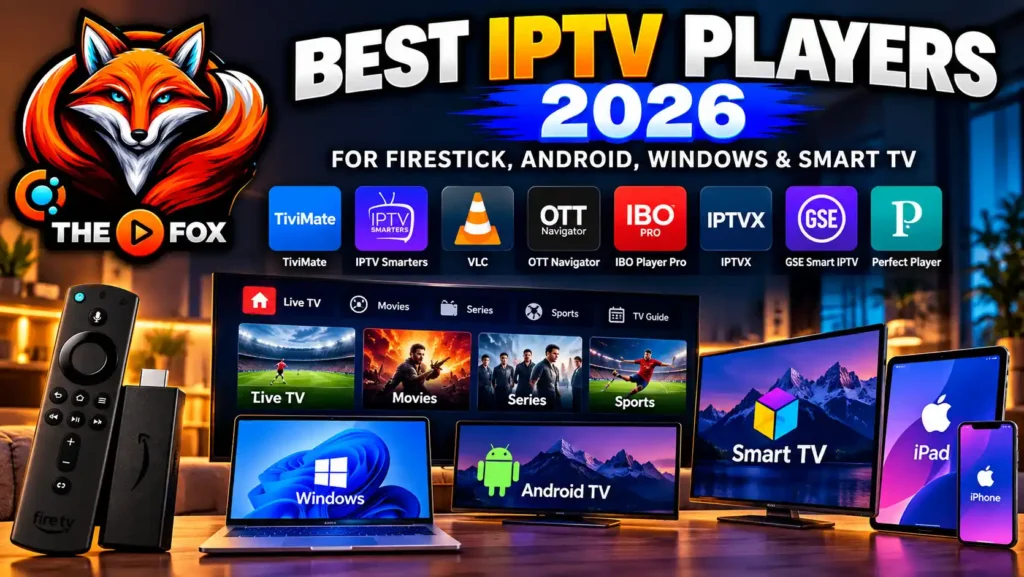
An IPTV player is software that displays compatible streaming content or loads supported playlists. It is important to distinguish the player from the television service itself.
Some applications provide playback tools but do not include channels, subscriptions, or video content. You may need a separate authorized service
TiviMate
TiviMate is an IPTV player designed primarily for Android TV-compatible devices. Features and compatibility depend on the application version and device.
Before using it, check the official information and ensure that your service provides a compatible, authorized source.
IPTV Smarters
IPTV Smarters is a name associated with IPTV player software for supported platforms. Availability, features, and installation methods may differ by device and application version.
Use trusted sources and verify that you are downloading the intended application.
Other Media Players
Other media players may support particular streaming formats or playlist types. Compatibility is not universal, so confirm that both your application and service support the same format.
No player can guarantee uninterrupted streaming independently of the content source, network conditions, and service infrastructure.
How to Set Up IPTV on Your Device
The exact process varies by provider and device, but a typical setup follows these steps
Step 1: Choose a compatible service.
Check content licensing, supported channels, subscription conditions, and device compatibility.
Step 2: Confirm your device requirements.
Verify that your television, Fire TV Stick, Android TV device, or other equipment supports the required application.
Step 3: Install the appropriate application.
Download the application from an official or otherwise trusted source. Review its permissions before installation.
Step 4: Follow the provider's instructions.
If your authorized service requires account credentials or a supported playlist, enter the details using the provider’s official setup instructions. Never share your password or private playlist URL publicly.
Step 5: Test playback.
Check whether the service loads correctly, whether supported channels play, and whether the electronic program guide or other advertised features work as expected.
Step 6: Review your subscription details.
Keep a record of your renewal date, payment terms, cancellation method, and support contact.
Keep a record of your renewal date, payment terms, cancellation method, and support contact.
A free trial can be useful when you want to test a service before paying. However, a trial should be treated as an opportunity to evaluate the service, not as proof that every advertised feature will work for every user.
Before starting a trial, check the following:
How long the trial lasts.
Whether payment information is required.
Whether the trial automatically becomes a paid subscription.
Which devices and features are included.
Whether the content is licensed for viewing in Canada.
How to contact support if setup fails.
During the trial, test the service on your intended device and home network. Check the content you actually plan to watch instead of relying only on the provider’s advertised channel count.
Read the terms before providing payment details, and cancel within the stated period if you do not want a paid subscription.
Is IPTV Legal in Canada?
IPTV is a method of delivering television over internet networks. Its legality depends on the service, the content, and whether the necessary distribution rights are in place.
Legitimate IPTV services may be provided by licensed broadcasters, telecommunications companies, and other authorized distributors. By contrast, a service that distributes copyrighted channels or programs without the required authorization may raise legal concerns.
A professional-looking website, low subscription price, large channel list, or working application does not by itself establish that a provider is authorized.
Before subscribing, review the provider’s identity, terms, licensing information, and the availability of its content in Canada. When in doubt, choose an authorized distributor and consult official Canadian resources for further information.
IPTV vs. Traditional Cable TV in Canada
IPTV and traditional cable television can both provide access to television programming, but they use different delivery methods and may have different subscription conditions.
| Feature | IPTV service | Traditional cable TV |
|---|---|---|
| Delivery method | Internet connection | Cable network |
| Device options | Depends on service and compatible apps | Usually provider equipment or supported devices |
| Internet requirement | Generally required for streaming | Depends on the service and equipment |
| Channel availability | Varies by provider and licensing | Varies by package and region |
| Pricing | Depends on subscription and features | Depends on package, fees, and provider |
| Installation | Often application-based | May require provider equipment or installation |
Neither option is automatically better for every household. Compare the total cost, channel selection, internet requirements, reliability, and customer support before making a decision.
Common IPTV Problems and How to Troubleshoot Them
Even a compatible streaming setup can experience technical problems. These basic checks may help you identify the cause.
Buffering or Frequent Pauses
Check your internet speed and Wi-Fi signal. If possible, test a wired connection or reduce other network activity.
If buffering continues only on one service, ask the provider whether there is a known service issue
Application Will Not Open
Restart your device and check whether an application update is available. If the problem continues, consult the application’s official troubleshooting instructions before reinstalling it.
Playlist or Login Problems
Confirm that your subscription is active and that the credentials were entered correctly. Check for accidental spaces or typing errors.
Do not post your login information or playlist URL in public forums
Missing Channels
A channel may be unavailable because of a service change, regional restriction, licensing limitation, or temporary technical issue.
Check the provider’s official announcements and contact support if the issue persists. Avoid assuming that every advertised channel will always be available.
Poor Picture Quality
Check your connection, device capabilities, and the resolution supported by the source. A fast internet connection alone cannot improve a low-quality video source.
Frequently Asked Questions About IPTV from Canada
What is IPTV from Canada?
The phrase can refer to IPTV services used by viewers in Canada, services offering Canadian programming, or devices and subscriptions marketed to Canadian customers. Check the exact meaning and availability of any offer before purchasing.
Can I use IPTV on a FireStick in Canada?
Some IPTV services and players support compatible Fire TV devices. Check application availability, device requirements, and the provider’s setup instructions before subscribing.
Do I need a fast internet connection for IPTV?
You need a stable connection with enough bandwidth for the video quality and number of simultaneous streams you use. Higher-resolution streams and multiple active devices generally require more capacity.
Is every IPTV subscription legal?
No. IPTV is a delivery technology, not a guarantee that a particular service is authorized. Check whether the provider has the necessary rights to distribute its content.
Can I use one IPTV subscription on multiple TVs?
That depends on the provider’s account rules and the number of simultaneous connections included in your plan. Confirm the limits before paying
What should I compare before buying an IPTV subscription?
Compare authorized content availability, device compatibility, streaming quality, total cost, subscription terms, customer support, and the provider’s cancellation and refund policies.
Add Your HeCan I watch IPTV while travelling outside Canada?ading Text Here
Availability depends on the service’s geographic restrictions, licensing arrangements, and account terms. Check with the provider before travelling rather than assuming that your subscription will work everywhere.
Final Thoughts: Choosing IPTV from Canada
Finding the right IPTV from Canada option starts with understanding what you want to watch and which devices you plan to use. It is equally important to check content licensing, evaluate streaming quality, compare subscription terms, and confirm that the provider offers the support you need.
Avoid making a decision based only on price or the number of advertised channels. A transparent provider with clear terms and compatible applications can make it easier to understand what you are paying for.
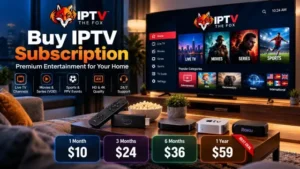
If you are exploring IPTV THE FOX, visit the website to review the available plans, device information, and trial terms. Confirm that the service and the content you want are available and authorized for your location before subscribing.
Explore IPTV THE FOX: Visit the website
Explore available plans: IPTV Plans