IPTV on Multiple Devices in the USA: Complete Guide for 2026
Introduction
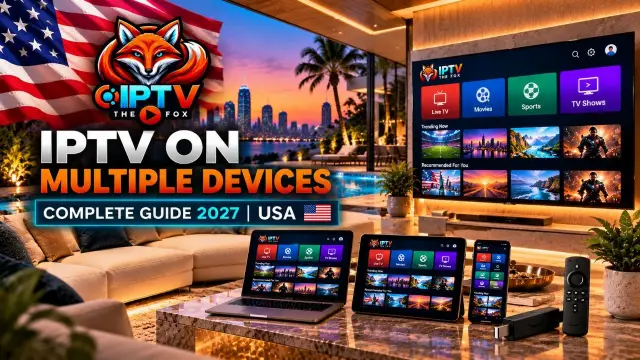
Using IPTV on multiple devices gives households more flexibility when watching internet-based television. Whether you have a Fire TV Stick in the living room, a Smart TV in the bedroom, or a smartphone for watching on the go, understanding how multi-device IPTV works can help you choose the right setup.
However, there is an important distinction between installing an IPTV player on several devices and watching content on several screens simultaneously. Your subscription determines how many connections are permitted at once, while your device and application determine how you access the service.
At IPTV THE FOX, we understand that customers want a straightforward setup and clear information before choosing a subscription. This guide explains how to plan your connections, configure compatible devices, understand simultaneous streaming limits, and troubleshoot common problems.
Whether you live alone, share a home with a partner, or have a family using several screens, this guide will help you understand what to check before getting started.
What Does “Devices” Actually Mean on an IPTV Plan?
When comparing IPTV on multiple devices, it is important to understand the difference between device installations and simultaneous connections.
You might install a compatible IPTV player on your living room television, bedroom TV, smartphone, tablet, and laptop. Depending on the service, you may be able to configure several of these devices with your account.
However, your subscription may limit how many streams can play at the same time.
For example, a subscription with one simultaneous connection may allow you to configure multiple devices but permit only one active stream. A subscription that supports two simultaneous connections may allow two compatible screens to play at once.
Providers may use terms such as “connections,” “streams,” “screens,” or “devices” differently. Always confirm exactly what the provider means before purchasing.
A paused stream or an application left running may continue to occupy a connection, depending on the service. If you receive a connection-limit message, close streams that are no longer being used and check your subscription terms.
The key takeaway: the number of devices you own is not necessarily the same as the number of streams your subscription permits at one time.
How Many IPTV Connections Does Your Household Actually Need?
The right number of connections depends on how many screens genuinely need to play different content simultaneously.
A household with four people does not automatically need four connections. Family members might watch together on one television, while other household members use separate screens.
Use the following table as a starting point.
| Household setup | Connections to consider | Why |
|---|---|---|
| One person using one TV | 1 | One active stream may be enough |
| Couple using separate rooms | 2 | Two people may want different content simultaneously |
| Family with children | 2–3 | Different screens may be used at the same time |
| Large household | 3–4 or more | Several rooms may need separate streams |
| Home with occasional additional viewing | Depends on usage | Consider the actual peak number of simultaneous streams |
These are planning examples, not guaranteed package recommendations. Your provider’s connection limits determine which setup is available.
Measure your household's real viewing habits
Instead of choosing a package based on the total number of televisions, observe how your household watches content.
For several evenings, note how many screens play different streams during your busiest viewing period. If most people watch together, you may need fewer connections than you first expected.
If several people regularly watch different programs at the same time, you may need a subscription that supports additional simultaneous connections.
Starting with your actual requirements can help you avoid paying for connections you rarely use.
IPTV on Multiple Devices: Understanding Subscription Costs
The cost of IPTV on multiple devices depends on the provider’s pricing structure, subscription duration, and permitted connection count.
Some providers offer packages based on the number of simultaneous streams. Others may impose separate restrictions on registered devices or account usage.
Before comparing subscriptions, check these details:
How many simultaneous connections are included?
Can you configure the service on more than one device?
Are additional connections available?
Is the subscription billed monthly or for a longer term?
Are there separate application activation fees?
Can your plan be upgraded later?
Are there restrictions on using the service from different locations?
Do not assume that a plan allowing multiple device installations also allows multiple simultaneous streams.
Compare the full subscription cost
When comparing plans, calculate the total cost over the period you intend to use the service. A longer subscription may have a lower effective monthly price, but it requires a longer commitment.
Consider your household’s likely usage before choosing a long-term package. If you are unsure how many simultaneous connections you need, ask the provider whether a short-term option is available.
You can visit the IPTV THE FOX website to explore the service and contact the team for information about available subscription options.
Important: Check the current package details and connection limits before purchasing. Prices and available plans can change.
Is One IPTV Subscription With Extra Connections Better Than Two Accounts?
A single subscription with additional permitted connections may be more convenient than managing separate accounts, but the best choice depends on the provider’s terms and pricing.
Benefits of one multi-connection subscription
When the provider allows several simultaneous streams under one subscription, you may benefit from:
One account to manage.
One renewal date.
One set of subscription details.
A simpler way to organise compatible devices.
Potential savings compared with buying separate accounts.
However, these benefits depend on the actual package. Compare the total cost and connection allowance before deciding.
When separate subscriptions may be necessary
If another person lives in a different household, do not assume that an additional connection permits account sharing between homes. Some services restrict usage to a single household or impose location-based conditions.
Read the provider’s terms and ask for clarification before using an account across different households
What Happens If You Exceed Your IPTV Connection Limit?
If you try to use more simultaneous streams than your subscription permits, the extra stream may fail to start, or an existing stream may stop. The precise behaviour depends on the provider’s system.
A connection-limit error does not necessarily mean that your internet is broken.
Try these steps:
Close streams that are no longer being watched.
Exit the IPTV application on unused devices.
Reopen the application on the device you want to use.
Check the number of connections permitted by your subscription.
Contact your provider if the problem continues.
Some applications remain active in the background, so fully closing an application may help release a connection. If you repeatedly reach the limit, ask whether a suitable upgrade is available.
Do not purchase an additional subscription until you understand whether the issue is caused by a connection restriction, an application problem, or a network issue.
Do You Need Faster Internet for IPTV on Multiple Devices?
Often, yes. Multiple simultaneous streams generally require more bandwidth than a single stream.
The actual amount depends on video resolution, stream bitrate, network conditions, and other activities taking place on your internet connection.
As a rough planning estimate:
| Streaming activity | Approximate bandwidth to allow |
|---|---|
| One HD stream | 5–8 Mbps |
| Two HD streams | 10–16 Mbps or more |
| Three HD streams | 15–24 Mbps or more |
| One 4K stream | Around 15–25 Mbps or more |
These figures are estimates, not guaranteed minimum requirements. Some streams use more bandwidth, and other household activities also consume capacity.
For example, a home with two HD streams, video calls, online gaming, and large downloads may need more bandwidth than a home using two streams with little other internet activity.
Why stability matters
A high advertised internet speed does not guarantee uninterrupted playback. Wi-Fi interference, weak signal strength, router limitations, network congestion, or problems with a particular stream can still cause buffering.
If several devices buffer at once, test the network and the streams individually to help identify the cause.
Improve your home network
Consider these practical steps:
Place your router in a central, open location.
Reduce obstacles between the router and streaming devices.
Use Ethernet for compatible devices when possible.
Avoid unnecessary large downloads during peak viewing.
Restart your router if your network is behaving unusually.
Check whether other devices are consuming significant bandwidth.
A stable home network helps improve the viewing experience, but it cannot resolve every provider-side or application-side problem.
Should You Buy Extra IPTV Connections Up Front?
Not necessarily. Start by identifying your current needs and checking the available subscription options.
A household’s viewing habits can change. A student may move out, a child may start using a tablet, or work schedules may change the times when people watch television.
A longer-term subscription may offer value, but only if the connection allowance suits your needs over that period.
A practical approach
Step 1: Test your setup. If a trial is available, use it to check compatible devices and streaming performance.
Step 2: Start with the appropriate connection count. Choose a package based on how many streams you expect to use simultaneously.
Step 3: Observe your viewing habits. Check whether multiple people regularly watch different content at once.
Step 4: Review your options. If your needs change, ask your provider whether you can upgrade or change your package.
You can check the IPTV THE FOX free trial page for information about trial availability and conditions.
A trial can help you assess compatibility and performance, but make sure you confirm its connection limits before testing multiple screens.
How Do You Set Up IPTV on Multiple Devices?
The setup process depends on your IPTV service, device, and chosen player. The following steps provide a general starting point.
Step 1: Check your subscription
Confirm how many simultaneous connections are permitted and whether the service restricts registered devices.
Step 2: Choose compatible devices
Identify the screens you intend to use, such as a Fire TV Stick, Smart TV, Android TV, smartphone, tablet, or computer.
Check that your chosen IPTV player supports each device’s operating system.
Step 3: Install a compatible IPTV player
Download the application from an official app store or a verified source. Review the application’s compatibility and permissions before installing it.
Step 4: Enter your authorised access details
Follow your provider’s instructions to enter the appropriate credentials or playlist information. Keep these details private and do not post them publicly.
Step 5: Test the first device
Confirm that the application connects and that authorised content plays correctly.
Testing one device first makes it easier to identify whether a problem is related to the application, credentials, network, or subscription.
Step 6: Configure the other devices
Install a compatible player on each additional device and follow the provider’s setup instructions.
If the service restricts registered devices, you may need to manage the devices associated with your account.
Step 7: Test simultaneous playback
If your package permits multiple connections, test the number of simultaneous streams included in the plan.
If the second stream interrupts the first, check the subscription terms before changing other settings.
For setup assistance, visit the IPTV THE FOX contact page.
Two Practical Tips for Multi-Screen Homes
Organise each device separately
Different household members may prefer different channels, categories, or favourites. Where supported by your player, organise favourites on each device to make navigation more convenient.
Remember that application preferences may not automatically sync between devices.
Use a wired connection for your main TV
If your television or streaming device supports Ethernet, a wired connection may provide more consistent connectivity than weak Wi-Fi.
This can be particularly useful when the television is far from the router or when multiple devices share the same wireless network.
A wired connection will not increase your subscription’s simultaneous connection allowance, but it may help reduce local network problems.
Common IPTV on Multiple Devices Problems
Problem 1: The second television will not play
Possible cause: Your subscription may not allow two simultaneous streams.
Solution: Close the first stream and test the second. Then check the connection allowance in your subscription terms.
Problem 2: One device works, but another does not
Possible cause: The second device may not support the selected application, or its settings may be incorrect.
Solution: Check the application’s compatibility, update it through an official source, and verify your authorised access details.
Problem 3: Several screens buffer simultaneously
Possible cause: Network congestion, weak Wi-Fi, insufficient bandwidth, or a problem affecting the service.
Solution: Test one screen at a time, improve your Wi-Fi coverage, and pause other bandwidth-heavy activities.
Problem 4: Your playlist will not load
Possible cause: Incorrect credentials, an expired subscription, an outdated playlist, or a network problem.
Solution: Check your internet connection, verify your details, refresh the playlist if supported, and contact your provider if the problem continues.
Problem 5: You receive a connection-limit message
Possible cause: Too many streams are active for your subscription.
Solution: Close unused streams and confirm the number of simultaneous connections included in your plan.
Problem 6: The service stops after changing devices
Possible cause: The service may restrict simultaneous streams, or the application may need to reconnect.
Solution: Check the connection allowance, fully close the previous stream if required, and try again.
If the problem persists, provide your support team with the device type, application name, error message, and steps you have already tried.
Can You Use IPTV on FireStick, Smart TV, and a Phone?
Yes, if your service and chosen applications support those devices and your subscription permits the intended usage.
For example, a household might configure IPTV on a Fire TV Stick in the living room, a compatible Smart TV in the bedroom, and a smartphone for portable viewing.
However, installing the service on all three devices does not automatically permit three simultaneous streams. Confirm the connection allowance before relying on that setup.
When selecting applications, check official compatibility information for each platform. Do not assume that an application available on one operating system will also be available on every other device.
Is IPTV on Multiple Devices Legal in the USA?
When comparing IPTV services, look for clear information about device compatibility, connection limits, setup requirements, and support.
IPTV THE FOX provides a point of contact for customers who want to learn about the service and ask questions before choosing a subscription.
If you plan to use several televisions or streaming devices, explain how many screens you have and how many need to play at the same time. That information helps you ask the right questions about connection limits and available packages.
You can explore the IPTV THE FOX website, review the free trial information, or contact the support team with questions about setup.
Always confirm the current subscription conditions before purchasing, especially if multiple household members need simultaneous access.
IPTV on Multiple Devices: Frequently Asked Questions
How many devices can use one IPTV subscription?
The answer depends on the provider. Some subscriptions allow multiple devices to be configured but restrict how many streams can play simultaneously. Check the package terms before purchasing.
Can IPTV be used on multiple devices?
Yes, when the service and subscription support your intended setup. Device compatibility and simultaneous connection limits are separate considerations.
Can two TVs watch different channels at the same time?
Yes, if your subscription permits at least two simultaneous connections and both TVs are compatible. A single-connection subscription may not support playback on both TVs at once.
Can I use IPTV on my phone and TV at the same time?
That depends on your provider’s connection rules. Check whether your subscription permits simultaneous streams on both devices.
Does installing an IPTV app on multiple devices cost extra?
Not necessarily. Some applications charge activation fees, while other applications are free to install. Any app fee is separate from the cost and connection allowance of your IPTV subscription.
Does using more IPTV devices require faster internet?
Usually, more simultaneous streams require additional bandwidth. The exact amount depends on resolution, bitrate, network quality, and other household internet usage.
Can I share my IPTV account with family in another home?
Check the provider’s account-sharing and location policies. Additional connections do not automatically permit use across different households.
Can I add another IPTV connection later?
Some providers allow upgrades, while others require a different package. Contact your provider to confirm whether your current subscription can be changed.
Why does IPTV buffer on multiple devices?
Possible causes include weak Wi-Fi, network congestion, insufficient bandwidth, device issues, or a problem with the stream. Test each device separately and check your connection allowance.
Should I choose a monthly or yearly IPTV subscription?
Choose based on your budget, expected usage, and confidence in the service. A longer subscription may offer a lower effective monthly price, but it involves a longer commitment. Review the terms before purchasing.
Final Thoughts
Using IPTV on multiple devices can make television viewing more convenient for households with several screens. The most important step is understanding the difference between device compatibility and simultaneous streaming permissions.
Before choosing a subscription, identify how many screens need to play at the same time, check application compatibility, and make sure your home network can support your intended setup.
Start with your actual needs rather than the total number of devices you own. If your household’s requirements change, ask your provider about the available options.
For more information about device setup and subscription options, visit IPTV THE FOX or contact our team.