TiviMate IPTV Player:7 Features, Setup, Premium & How to Add IPTV
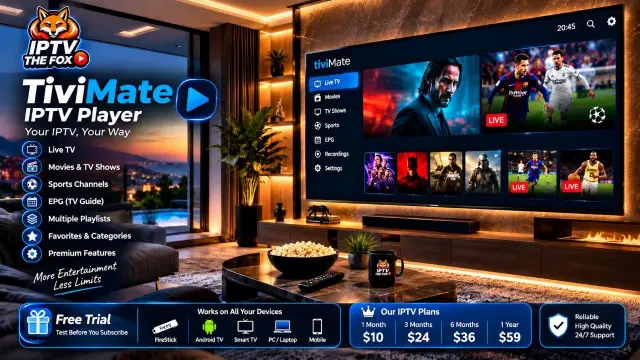
If you are looking for a convenient way to organize your IPTV channels on a television screen, TiviMate IPTV Player is an application worth considering. Designed primarily for Android TV and compatible Fire TV devices, TiviMate offers a TV-friendly interface, playlist management, an electronic program guide, and several customization options.
Whether you use an Amazon FireStick or an Android TV device, choosing the right IPTV player can make your viewing experience easier and more organized.
In this guide, we explain what TiviMate is, how it works, its main features, the difference between its free and Premium versions, and how to add a compatible IPTV playlist. We will also explain how IPTV THE FOX can help you with installation and setup
What Is TiviMate IPTV Player?
TiviMate is an IPTV media player designed for compatible Android TV and Fire TV devices. It allows users to load and organize compatible IPTV playlists through an interface designed for television screens and remote controls.
One important thing to understand is that TiviMate does not provide television channels or subscriptions. It is a player, not an IPTV service provider. To watch content, you need a compatible playlist from a source authorized to distribute that content.
Depending on the application version and playlist, TiviMate can support features such as:
M3U playlist integration.
Xtream Codes API login.
Electronic Program Guide (EPG).
Channel categories and favorites.
Multiple playlist management.
Interface customization.
Recording and catch-up features where supported.
These features make TiviMate a popular choice for users who want to organize their compatible IPTV playlists in a traditional TV-style layout.
Why Is TiviMate One of the Best IPTV Players?
There are many IPTV player applications available, but not all offer the same experience. TiviMate stands out particularly for people who watch IPTV on a large television screen.
Here are some of the reasons users consider it a strong option.
1. TV-Friendly Interface
TiviMate is designed around television navigation. Its menus and channel guide are suitable for remote-control use, making it easier to browse categories and select channels.
2. Electronic Program Guide (EPG)
The Electronic Program Guide displays available program information, including current and upcoming shows.
EPG information depends on the data supplied by your playlist provider. If your source does not include compatible guide information, the guide may appear incomplete or empty.
3. M3U Playlist Support
TiviMate supports compatible M3U playlists. This allows users to add a playlist URL supplied by their IPTV provider and organize the available streams inside the application.
4. Xtream Codes API
Some IPTV providers supply connection information in an Xtream Codes-compatible format.
This generally includes a server address, username, and password. TiviMate can use supported login methods to configure a compatible playlist.
5. Favorites and Channel Groups
Large playlists can contain many channels. TiviMate offers organization features that help users manage channel categories and create favorites.
6. Customization Options
Depending on the version and available features, users can personalize parts of the interface and channel guide to suit their preferences.
7. Premium Features
TiviMate also offers an optional Premium version with additional functionality. The available features and pricing can change, so check the developer’s current information before purchasing.
Is TiviMate Free or Do You Need Premium?
TiviMate has a free version and an optional Premium version.
The free version allows users to access basic player functionality. Premium provides additional features and options for users who want more control over their IPTV setup.
Before purchasing Premium, consider which features you actually need and check the current subscription or purchase details through the developer’s official process.
Remember that TiviMate Premium and an IPTV subscription are two separate things. Paying for the player does not automatically provide live channels, movies, or television content.
What Devices Support TiviMate?
TiviMate is primarily designed for compatible Android TV and Fire TV environments.
Common devices to consider include:
Fire TV Stick 4K.
Fire TV Stick 4K Max.
Compatible Android TV devices.
Compatible Google TV devices.
TiviMate is not a native application for every television platform. For example, users of iPhone, Apple TV, Roku, Samsung Tizen, or LG webOS should check the available applications for their specific devices rather than assuming TiviMate is supported.
Always verify compatibility before installing an application
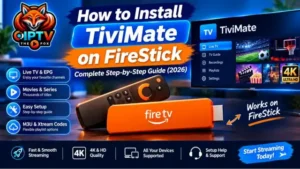
How to Install TiviMate on FireStick
Installing TiviMate on a compatible FireStick is an important first step before configuring your IPTV playlist.
Depending on the current distribution method and Fire OS version, installation may require a trusted sideloading method.
The general process involves preparing your FireStick, using an appropriate installation method, downloading the legitimate application file, and completing the installation.
We have already prepared a complete step-by-step tutorial explaining the process, including the Downloader application and the necessary FireStick settings.
Read our full guide: How to Install TiviMate on FireStick in 2026: Complete Step-by-Step Guide
Follow that guide if you need detailed installation instructions before continuing with playlist configuration.
How to Add IPTV to TiviMate
After installing TiviMate, the next step is adding a compatible IPTV playlist.
Your IPTV provider may supply an M3U URL or Xtream Codes-compatible login information. The exact setup screens can vary depending on the application version.
Method 1: Add an M3U Playlist
If your provider gives you an M3U URL, follow these general steps:
Open TiviMate on your device.
Select Add Playlist.
Choose the M3U playlist option.
Enter the M3U URL supplied by your provider.
Continue through the setup screens.
Wait for the application to process the playlist.
Review the available channel categories.
Make sure you enter the complete URL correctly. An incorrect or expired playlist address may prevent the application from loading your channels.
Method 2: Add IPTV Using Xtream Codes
If your provider supplies Xtream Codes-compatible login information, you may be able to configure your playlist using:
Server address.
Username.
Password.
To get started:
Open TiviMate.
Select Add Playlist.
Choose the supported Xtream Codes login option.
Enter the server address.
Enter your username and password.
Continue with the configuration.
Allow the application to load the available playlist information.
Keep your login details private. Never share screenshots containing your password or personal account information.
TiviMate vs IPTV Smarters Pro: Which Should You Choose?
TiviMate and IPTV Smarters Pro are two applications that users may consider when setting up IPTV.
They have different interfaces and device compatibility, so the right option depends on how and where you watch television.
| Feature | TiviMate | IPTV Smarters Pro |
|---|---|---|
| TV-friendly interface | Yes | Yes |
| EPG support | Yes, with compatible data | Yes, with compatible data |
| Playlist configuration | Supported formats | Supported formats |
| FireStick compatibility | Compatible devices | Depends on version |
| Android TV | Yes | Depends on version |
| Other platforms | More limited | Broader platform options, depending on version |
| Premium options | Yes | Depends on application version |
Our recommendation: TiviMate is our preferred choice for compatible FireStick and Android TV users who want a traditional television-style interface and convenient playlist organization.
However, IPTV Smarters Pro and other applications may be more appropriate for people who use different devices.
Best IPTV Players: Explore More Applications
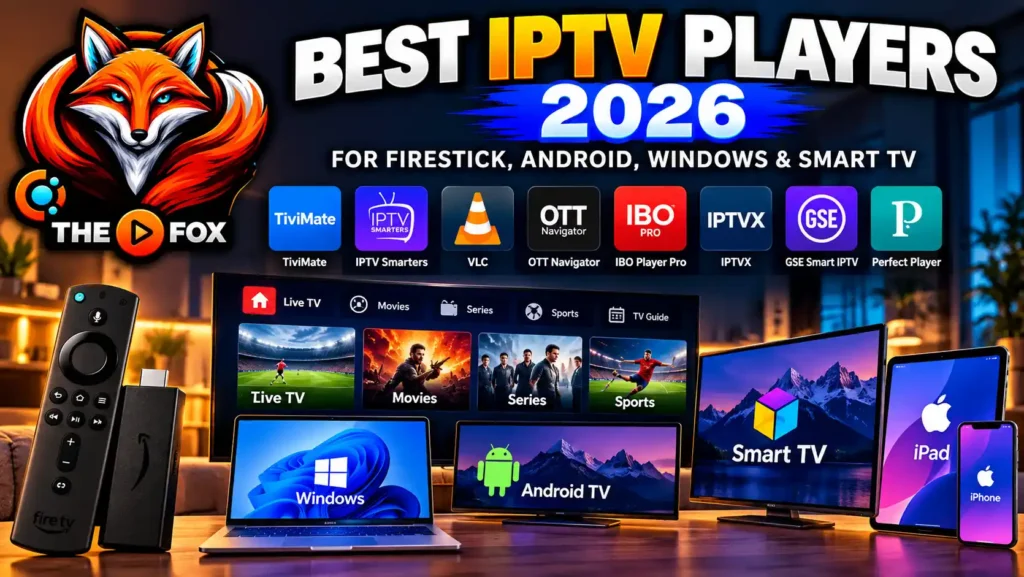
TiviMate is an excellent option to consider, but it is not the only IPTV player available.
Other applications include:
OTT Navigator.
IPTVX.
GSE Smart IPTV.
Perfect Player.
Each application has different features, device requirements, and installation methods.
If you want to compare these applications in more detail, read our separate guide:
[Best IPTV Players in 2026: Top Apps for FireStick, Android, Windows & Smart TV]
This guide compares popular IPTV players and helps you choose an application based on your device and viewing preferences.
How IPTV THE FOX Helps You Install and Configure TiviMate
Choosing an IPTV player is only one part of getting started. Some users also need help installing the application, entering their playlist information, and understanding the setup process.
At IPTV THE FOX, our support team can guide customers through the setup process on compatible devices.
Our assistance can include:
Guidance on installing compatible IPTV applications.
Help adding an M3U playlist.
Assistance entering Xtream Codes login information.
Guidance with basic application settings.
Troubleshooting common configuration problems.
Support for compatible FireStick and Android TV devices.
If you are new to IPTV, you can contact our team and tell us which device you use. We will guide you through the relevant setup steps.
Try IPTV THE FOX With a Free Trial
Not sure whether an IPTV service is right for your setup?
At IPTV THE FOX, we offer a free trial so you can test the service before deciding whether to purchase a subscription.
A trial gives you an opportunity to check compatibility with your device, explore the available service features, and see whether the experience meets your expectations.
You can also contact our support team if you need assistance configuring a compatible player.
Visit our website to request your trial:
IPTV THE FOX – Official Website
Please remember that TiviMate itself does not provide channels. Any content you access should come from a source authorized to distribute it in your region.
Affordable IPTV Subscription Plans
Choosing an IPTV service is not only about the application. Price, compatibility, support, and the available subscription options are also important considerations.
At IPTV THE FOX, we aim to offer subscription options at competitive prices, giving customers the flexibility to choose a plan that suits their needs and budget.
Before selecting a plan, consider:
How long you want to subscribe.
Which compatible device you plan to use.
Whether you need assistance with installation.
Whether the service meets your expectations after testing the free trial.
For current plans and pricing, visit our official website or contact our support team.
IPTV THE FOX Subscription Plans and Affordable Pricing
At IPTV THE FOX, we offer flexible subscription plans at affordable prices to suit different viewing preferences and budgets.
Our current subscription options include:
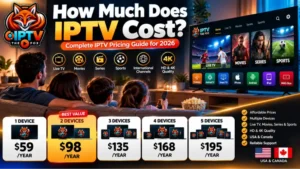
| Subscription | Price |
|---|---|
| 1 Month | $10 |
| 3 Months | $24 |
| 6 Months | $36 |
| 12 Months | $59 |
You can start with a free trial to test the service before choosing a subscription. Our support team can also help you install and configure a compatible IPTV player, including TiviMate on supported devices.
Visit IPTV THE FOX to learn more about our plans and request your free trial.
Common TiviMate Problems and Solutions
Even after configuring TiviMate correctly, you may occasionally experience problems.
Here are some common issues and basic troubleshooting steps.
TiviMate Playlist Is Not Loading
Check that your M3U URL or Xtream Codes information is correct. Make sure the playlist is still active and that your internet connection is working.
If the problem continues, contact the provider that supplied the playlist.
EPG Is Not Showing
An empty program guide may mean that compatible EPG information is missing or that the guide source needs refreshing.
Check your playlist and EPG settings.
TiviMate Is Buffering
Buffering can be caused by network congestion, weak Wi-Fi, device performance, or problems with the stream source.
Try restarting your router and streaming device. If possible, test a wired connection.
TiviMate Is Not Opening
Restart your device and check whether application or system updates are available.
You can also try clearing the application’s cache. Avoid clearing application data unless you understand that this may remove saved settings.
IPTV Login Details Are Not Working
Carefully check the server address, username, and password. Make sure there are no missing characters or extra spaces.
If the information is correct but the problem remains, contact your playlist provider.
Frequently Asked Questions About TiviMate IPTV Player
1. What is TiviMate IPTV Player?
TiviMate is an IPTV media player designed primarily for compatible Android TV and Fire TV devices. It helps users organize and play compatible IPTV playlists.
2. Does TiviMate provide live TV channels?
No. TiviMate is a media player, not a television service provider. You need a compatible playlist from an authorized source to access content.
3. Is TiviMate free?
TiviMate offers a free version and an optional Premium version. Check the developer’s official information for current features and pricing.
4. Is TiviMate Premium worth it?
It may be useful if you want additional features and customization options. Whether it is worth purchasing depends on your needs and the current Premium feature list.
5. How do I add IPTV to TiviMate?
Open the application, select Add Playlist, and enter the compatible M3U URL or supported Xtream Codes information supplied by your provider.
6. Does TiviMate work on FireStick?
Yes, TiviMate is designed for compatible Fire TV devices. Installation methods can vary depending on the device and software version.
7. Can I use TiviMate on Samsung Smart TV?
TiviMate is not a native application for Samsung’s Tizen platform. Check your TV’s official app store for compatible IPTV players.
8. Can I use TiviMate on iPhone or Apple TV?
TiviMate is designed primarily for Android TV and Fire TV environments. Apple users should consider IPTV applications developed for their specific platforms
9. Does TiviMate support M3U playlists?
Yes. TiviMate supports compatible M3U playlists, allowing users to add playlist information supplied by their provider.
10. Does TiviMate support Xtream Codes?
TiviMate supports compatible Xtream Codes API login methods. Availability and setup options may depend on the application version.
11. Can IPTV THE FOX help me configure TiviMate?
Yes. IPTV THE FOX can guide customers through compatible application installation and playlist configuration on supported devices.
12. Can I try IPTV THE FOX before subscribing?
Yes. You can contact IPTV THE FOX to request a free trial and test the service before choosing a subscription.
Final Thoughts
TiviMate IPTV Player is a strong option for users who want to organize compatible IPTV playlists on FireStick and Android TV devices.
Its television-friendly interface, playlist management, EPG support, and customization options make it worth considering, especially if you prefer browsing channels with a traditional TV-style experience.
Remember that TiviMate is only a player. You need a compatible playlist from an authorized content provider to access television programming.
If you need help getting started, IPTV THE FOX offers a free trial and setup assistance for compatible devices.
Visit IPTV THE FOX to learn more, request a trial, and get help configuring your IPTV setup.